
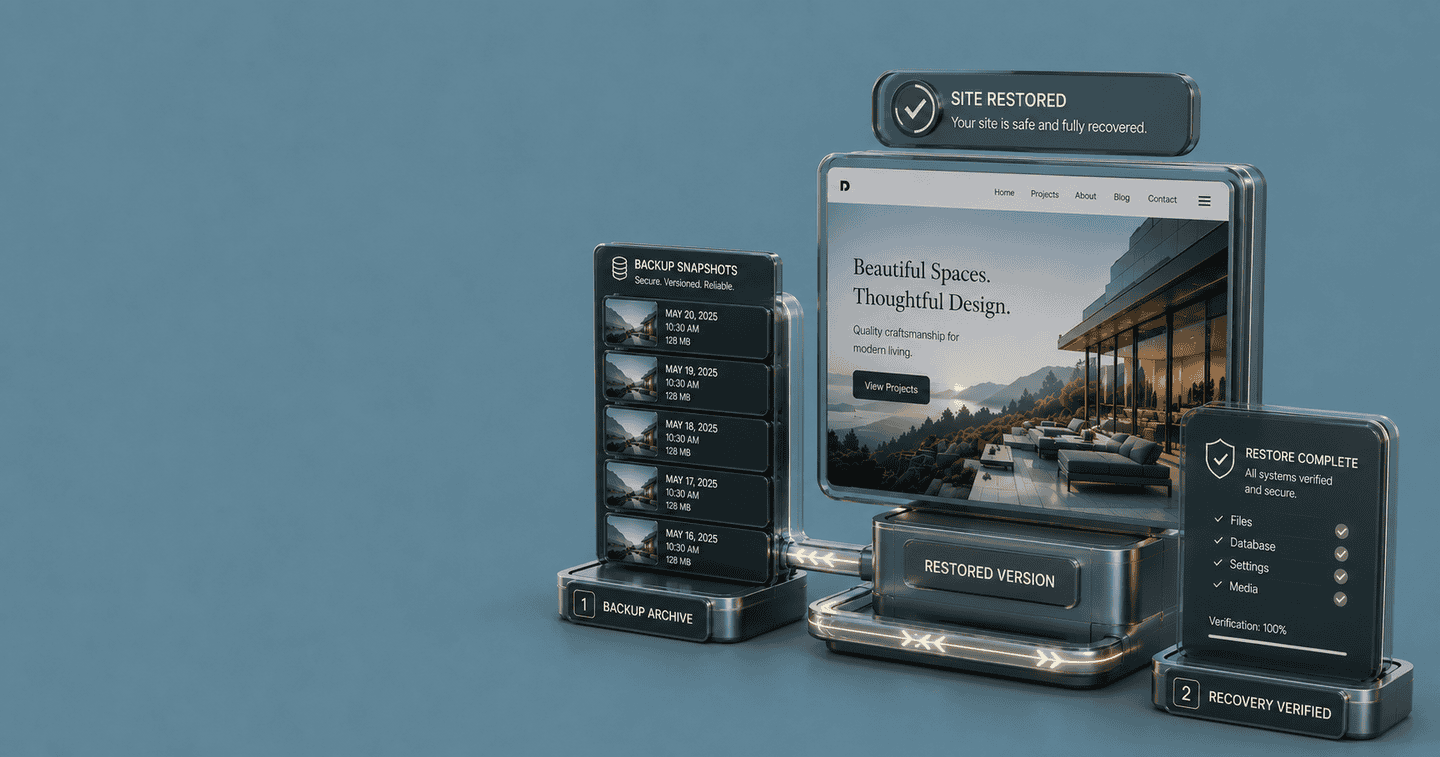

Best WordPress Backup Plugins (2026): The Honest Shortlist

Every WordPress site is one bad plugin update, one expired SSL certificate, or one rogue piece of malware away from a bad afternoon. Hosts back things up — sometimes. Their backups live on the same infrastructure as your site — usually. They're easy to restore from — almost never. A real backup plugin solves what hosting backups quietly don't: full off-site copies, on a schedule, with restores you can run yourself when something breaks.

We looked at the most-discussed WordPress backup plugins of 2026 and narrowed them to seven worth your time. One free option is genuinely sufficient for most personal sites and small blogs. The paid options earn their place when uptime matters, when one-click restore matters, or when you need real incremental backups instead of full database dumps every night. Nothing here is recommended for a polished dashboard or a roadmap promise. Each pick is here because it actually recovers your site when things go wrong.

Affiliate disclosure: Some links on this page earn Get The Verdict a commission, at no cost to you. We only earn when you buy something we'd recommend regardless. Full disclosure here.

At a Glance

Plugin Best For Verdict Price
UpdraftPlus Free, off-site, set-and-forget Solid Pick Free / $70/yr See pick →
BlogVault Sites where downtime costs money Worth Paying For $89/yr See pick →
Solid Backups StellarWP-bundle users Solid Pick $99/yr See pick →
Duplicator Migrations and one-off snapshots It Depends Free / $99/yr See pick →
BackWPup Free with full database control Use Free Plan Free / $69/yr See pick →
Jetpack VaultPress Sites already on Jetpack Power Users Only $119/yr See pick →
WPvivid Free migrations on a budget It Depends Free / $49/yr See pick →

UpdraftPlus

Solid Pick

The free backup plugin most WordPress sites should install first.

UpdraftPlus is the closest thing the WordPress backup category has to a default answer. The free version handles scheduled backups, full-site or database-only options, and direct uploads to Dropbox, Google Drive, OneDrive, Amazon S3, and a handful of other destinations — all without an account, an upsell wall, or a feature lockout. For a personal blog, a portfolio site, or a small business site, the free tier is genuinely sufficient on its own.

What separates UpdraftPlus from competitors that look similar on a feature list is restore behavior. When something breaks, you click a button next to the backup you want, and the plugin walks you through it. No re-uploading via FTP, no manual database imports, no third-party tools. The restore path is the part most free backup plugins quietly skip, and UpdraftPlus is the rare one that gets it right.

Premium adds incremental backups (only changed files since last backup), database search-and-replace for migrations, more storage destinations, and multisite support. None of it is essential for a single small site — but if you're managing multiple installs or running anything ecommerce-shaped, the upgrade pays for itself the first time you avoid restoring from a 3 AM full backup.

Pros
  • Free tier covers scheduled, off-site backups on most major cloud destinations
  • One-click restore actually works — no FTP gymnastics
  • Mature, actively maintained since 2011
  • Database search-and-replace makes migrations painless (Premium)
  • Encryption available for backups stored on third-party services
Cons
  • Free version stores backups in full each time — no incremental option
  • UI shows its age compared to newer competitors
  • Premium pricing renews annually with no lifetime tier
  • Multisite support requires the Premium upgrade
Price: Free · Personal $70/yr · Business $95/yr · Agency $145/yr · Enterprise $195/yr
Get UpdraftPlus →

BlogVault

Worth Paying For

The right call when downtime is expensive and restores have to be flawless.

BlogVault operates like a SaaS that happens to have a WordPress plugin, not the other way around. Backups run on BlogVault's own servers, off your hosting infrastructure, with real incremental syncing. That sounds like a small technical detail. In practice it means your scheduled backup doesn't slow your site, your storage doesn't fill your hosting disk, and the backup itself is genuinely immune to whatever breaks your WordPress install.

The differentiator that matters most is the staging-and-restore flow. BlogVault can spin up a one-click staging copy of your site on their servers, let you test changes there, and push them back to production. The restore path uses the same infrastructure: if something breaks, the rollback runs from BlogVault's storage to your live site without ever depending on your broken site being able to download a backup archive. That's the failure mode every other backup plugin shares — and BlogVault is the rare one that engineered around it.

The cost is higher than free plugins, and there's no useful free tier. But for an ecommerce store, a membership site, or any business site where a few hours of downtime translates to real lost revenue, BlogVault is the most defensible recommendation in the category.

Pros
  • Backups run off-server — no impact on site performance
  • Real incremental backups, not full archives every cycle
  • One-click staging environments included
  • Restores work even when your site is completely down
  • Strong reputation for handling hacked-site recovery cleanly
Cons
  • No free tier — paid only
  • Annual pricing climbs steeply for multi-site licenses
  • Dashboard lives off-site, which some users find disorienting
  • Overkill for hobby blogs or low-traffic personal sites
Price: Basic $89/yr (1 site) · Plus $199/yr (5 sites) · Advanced $339/yr (10 sites)
Get BlogVault →

Solid Backups

Solid Pick

Formerly BackupBuddy — the long-tenured paid pick with no free version.

Solid Backups is the StellarWP rebrand of BackupBuddy, one of the oldest paid backup plugins in the WordPress ecosystem. The plugin has been around since 2010, which matters in this category — backup software earns trust over years of edge cases (corrupted databases, half-failed restores, multisite weirdness), not over months of feature releases.

The plugin handles the standard list well: scheduled backups, off-site storage to most major destinations, database backups, full-site exports, and migration to a new host. The Stash Live feature is the differentiator — real-time, incremental, off-site backups that sync changes as they happen rather than waiting for the next scheduled run. For sites that publish frequently or accept user submissions, that's the right model.

The honest caveat is that the broader StellarWP suite buyout has occasionally introduced rough edges around licensing and upsell pressure. The core plugin remains solid (no pun intended), but if you're not already invested in the StellarWP ecosystem, BlogVault delivers a more focused product at a similar price.

Pros
  • Stash Live real-time backups capture changes as they happen
  • Mature codebase with deep migration support
  • Direct integration with the StellarWP suite
  • Good multisite support out of the box
  • Strong cron-free scheduling for hosts that block WP-Cron
Cons
  • No free tier — paid only
  • StellarWP-era upsell pressure inside the dashboard
  • Stash Live storage requires their separate Stash subscription
  • Documentation lags behind newer competitors
Price: Basic $99/yr (1 site) · Plus $199/yr (10 sites) · Agency $299/yr (unlimited)
Get Solid Backups →

Duplicator

It Depends

Excellent migration tool, mediocre as a daily backup solution.

Duplicator was built as a migration plugin first and a backup plugin second, and that origin still shows. The free version packages your entire WordPress site into a single archive plus an installer file — you upload both to the new host, run the installer, and the site moves over. For migrations, host changes, and dev-to-production deploys, it's faster and more reliable than almost anything else.

As a daily backup tool, Duplicator is more If it fits. The free version doesn't do scheduled backups at all — you have to manually create each archive. Pro adds scheduling, off-site storage (Dropbox, Google Drive, Amazon S3, OneDrive), and multisite support, which closes the gap, but at a price that doesn't undercut UpdraftPlus Premium or BlogVault for general backup use.

The right way to use Duplicator: install the free version on every site you might ever migrate, and reach for it when you need to move hosts or set up a staging-to-production flow. Use a different plugin for daily scheduled backups unless you genuinely need everything Duplicator Pro offers.

Pros
  • Best-in-class migration workflow with single-archive packaging
  • Free version is genuinely useful for one-off snapshots
  • Multisite migration works where most competitors fail
  • Bundled installer script handles URL rewrites cleanly
Cons
  • No scheduled backups in the free version
  • Pro pricing competes with stronger daily-backup options
  • Large sites can struggle to package on shared hosting
  • Less intuitive than UpdraftPlus for non-technical users
Price: Free · Basic $99/yr · Plus $159/yr · Pro $239/yr · Elite $399/yr
Get Duplicator →

BackWPup

Use Free Plan

Free, granular, and unfussy — if you can read a cron expression.

BackWPup is the backup plugin for people who like control. The free version is unusually capable: scheduled backups, database optimization, off-site storage to Dropbox, S3, Microsoft Azure, Rackspace, FTP, and email, plus job-based scheduling that lets you run different backup types on different cadences. None of that requires Pro.

The catch is the interface. BackWPup exposes nearly every setting WordPress has for backup configuration, which is excellent for users who know what they're doing and overwhelming for users who don't. UpdraftPlus hides complexity behind sensible defaults; BackWPup shows you every knob and trusts you to turn the right ones.

For developers, technical site owners, and anyone who's run cron jobs before, BackWPup's free tier is genuinely competitive with paid plugins. For beginners, the cognitive overhead of the settings panel makes UpdraftPlus the easier choice. Pro mostly adds storage destinations and priority support — neither transformative if you're already happy with free.

Pros
  • Free tier is exceptionally feature-rich compared to competitors
  • Job-based scheduling allows different backup types on different cadences
  • Database optimization runs alongside backups
  • Encryption available for backups stored on third-party services
  • Lightweight on server resources
Cons
  • Configuration surface is intimidating for beginners
  • Restore process is more manual than UpdraftPlus
  • Pro upsell prompts inside the dashboard are persistent
  • UI feels dated even by WordPress plugin standards
Price: Free · Standard $69/yr · Business $99/yr · Developer $199/yr
Download BackWPup Free →

Jetpack VaultPress Backup

Power Users Only

Real-time backups from Automattic — useful if you already run Jetpack.

VaultPress is Automattic's backup product, now bundled into Jetpack as VaultPress Backup. The technology underneath is genuinely good: real-time incremental backups, off-site storage on Automattic's infrastructure, one-click restores, and an activity log that shows exactly what changed and when. For sites already running Jetpack for other features, adding the Backup plan is a sensible extension.

The hesitation is the same as with Jetpack Security. Jetpack itself is a large plugin with broad reach into your WordPress install, and installing it solely for backups means accepting that surface area for features you may not use. For sites already invested in Jetpack — for CDN, for forms, for the mobile app — VaultPress is the logical pick. For sites not on Jetpack, the math gets harder.

The other real consideration is account dependence. VaultPress requires a WordPress.com account and ties your backups to Automattic's storage. If you ever want to leave the Jetpack ecosystem, you'll need to migrate backup history separately. That's not a dealbreaker, but it's a difference worth knowing about up front.

Pros
  • Real-time incremental backups, not scheduled snapshots
  • Off-site storage on Automattic infrastructure
  • One-click restore from a clean off-host environment
  • Activity log makes troubleshooting unusually clear
  • Bundled with broader Jetpack features for existing users
Cons
  • Requires installing the full Jetpack plugin
  • Per-site pricing adds up across multiple installs
  • Tied to a WordPress.com account
  • Less attractive for users who actively avoid Jetpack
Price: Backup $119/yr (~$10/mo) · Security $239/yr · Complete $599/yr
Get VaultPress Backup →

WPvivid

It Depends

Capable free plugin with a usable Pro — but always the second-best pick in its lane.

WPvivid does everything a backup plugin is supposed to do and most of what a migration plugin is supposed to do, and it does all of it for free. The free version handles scheduled backups, off-site storage to most major cloud destinations, full-site migration, and one-click restores. On paper, it competes directly with UpdraftPlus free and Duplicator free at the same time.

The reason the verdict is If It Fits rather than Solid Pick is that WPvivid is consistently the second-best option in every category it competes in. For pure backups, UpdraftPlus has more mature restore logic and a longer track record. For migrations, Duplicator has cleaner packaging and a more reliable installer. WPvivid is genuinely good at both — but rarely the best at either.

Where WPvivid does earn a recommendation is for users who want a single plugin for both backup and migration without paying for Duplicator Pro or UpdraftPlus Premium. That bundle case is real, and WPvivid handles it well. For anyone willing to install two plugins for two jobs, the specialized options do each job slightly better.

Pros
  • Free tier handles both backup and migration in one plugin
  • Active development with frequent updates
  • Off-site storage on most major destinations included free
  • Multisite support available without a Pro upgrade for basic use
Cons
  • Not best-in-class at either backup or migration individually
  • UI shows rough edges compared to UpdraftPlus
  • Restore process less polished than top competitors
  • Pro feature set lags larger competitors at similar prices
Price: Free · Personal $49/yr · Freelancer $99/yr · Business $149/yr
Download WPvivid Free →

How to Choose

Backup plugins look interchangeable on feature lists and behave very differently when something actually breaks. Match the plugin to your recovery scenario, not to the longest spec sheet.

If you're a beginner with a small site

Install UpdraftPlus free. Connect it to your Google Drive or Dropbox in five minutes, set a daily schedule, and walk away. The free tier handles real off-site backups with a one-click restore that actually works when you need it. There is no good reason to start anywhere else.

If you run a store or downtime costs you money

Pay for BlogVault. Off-server backups and one-click restores that work even when your site is completely offline are the features that separate "I have backups" from "I can recover." For an ecommerce store, the annual cost is cheaper than a single bad weekend.

If you're migrating hosts or building a staging flow

Use Duplicator free for the move. Its single-archive-plus-installer workflow handles URL rewrites, database search-and-replace, and edge cases that trip up other plugins. After the migration, switch back to UpdraftPlus or BlogVault for ongoing daily backups.

If you want full control and don't mind complexity

Install BackWPup free. Job-based scheduling and granular database options give you more control than UpdraftPlus exposes, at the cost of a steeper learning curve. Worth it if you're comfortable reading documentation; not worth it if you'd rather not.

Frequently Asked Questions

Yes, in almost every case. Host backups are stored on the same infrastructure as your site, which means a server failure, a hosting account suspension, or a hack that gets root access can take your backups with it. Host backups also tend to be daily at best and restore on the host's schedule, not yours. A backup plugin gives you off-site copies you control. Managed hosts like Kinsta and WP Engine handle this better than most, but even there, a second off-site backup is the standard professional recommendation.

Off your hosting infrastructure, always. Dropbox, Google Drive, OneDrive, Amazon S3, and Backblaze B2 are the standard destinations and all integrate with the plugins above. The rule that matters: a backup stored on the same server as your site is not a real backup. If the server goes down, both copies go down with it. For business sites, follow the 3-2-1 rule — three copies, two different storage types, one off-site.

Daily for most sites, real-time for stores. A blog that publishes weekly only needs weekly backups plus a manual backup before any plugin or theme update. An ecommerce store taking orders every hour needs incremental or real-time backups so a restore doesn't lose customer transactions. The right cadence is whatever you can afford to lose if a restore happens right now.

Briefly, while the backup is running. Plugins that compress files on your server (UpdraftPlus, BackWPup, Duplicator) use real CPU during the backup window — schedule them for off-peak hours. Plugins that run off-server (BlogVault, VaultPress) don't tax your hosting at all because the work happens elsewhere. For shared hosting with limited resources, off-server backups are the better architecture if budget allows.

Yes — that's how migrations work. UpdraftPlus Premium, Duplicator, BlogVault, and Solid Backups all handle host-to-host moves with built-in database search-and-replace for URL changes. The free versions of UpdraftPlus and Duplicator can do this too, with slightly more manual steps. The harder cases are migrations between WordPress.com and self-hosted, or in or out of managed environments — read the destination host's migration documentation before starting.

The short version: For most WordPress sites in 2026, install UpdraftPlus free, connect it to a cloud destination, set a daily schedule, and you are covered. If your site earns revenue or a few hours offline would hurt, upgrade to BlogVault. If you are migrating hosts this week, reach for Duplicator. Everything else on this list is for specific edge cases.

Backup is one third of the trio every WordPress site eventually needs. See our roundups of the best WordPress security plugins and best WordPress caching plugins. Browse all our WordPress verdicts here.